Selected works / 01 of 04 Flights Seats Vision

The vision

3 pillars, sequenced

12 vision concepts. 4 cohort-targeted flows. 8 features shipping during the vision phase. Approved by Flights leadership. On the 2026/27 roadmap.

Flights Seats Vision

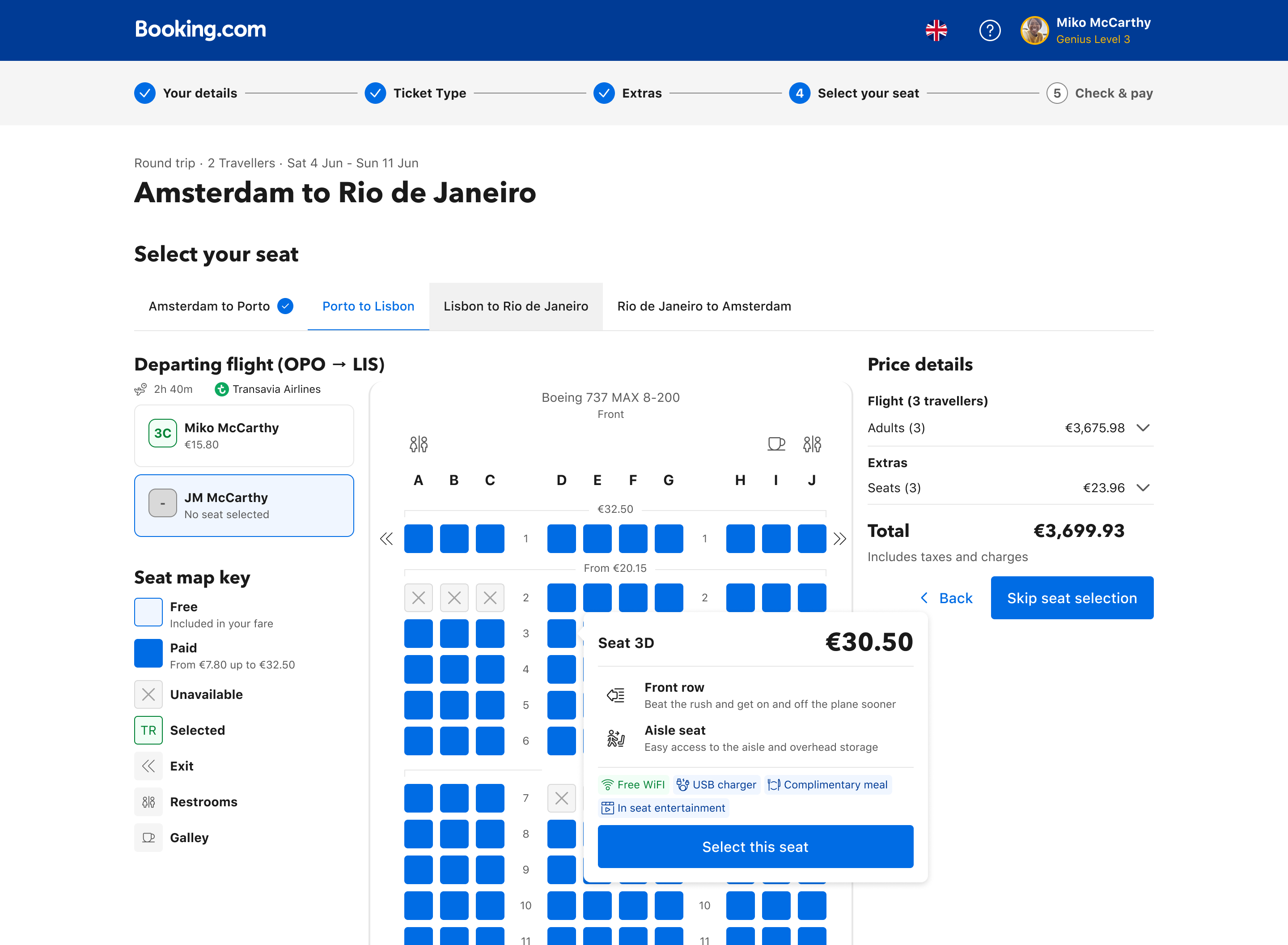
Booking.com Flights sells seats as a price-tiered grid. The industry's best seat-sellers (Singapore, United, Ryanair, even Tesla and Ticketmaster) sell space as experience. This case study is the diagnosis, the system response, and the 2026/27 roadmap that came out of it.

Today

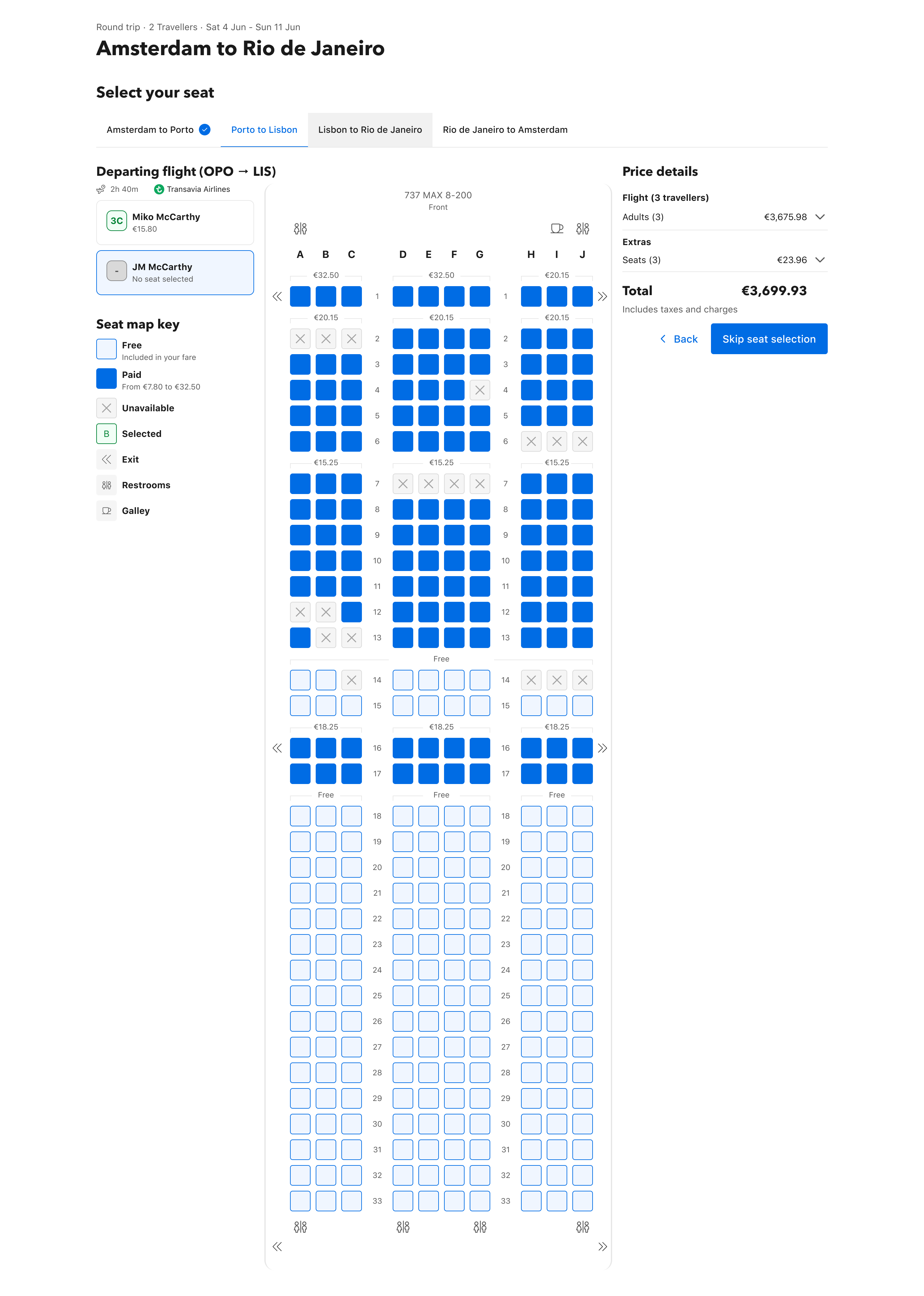
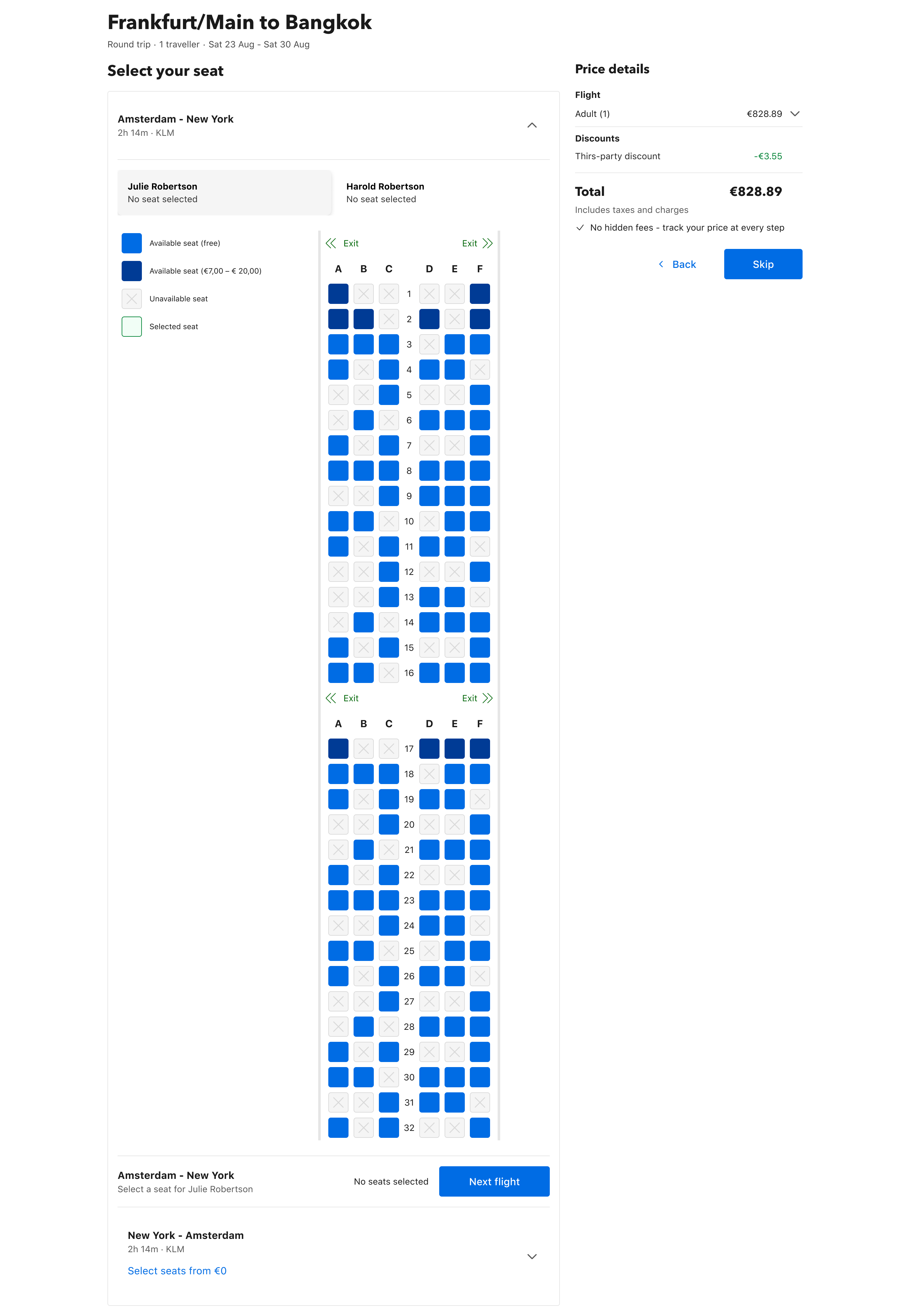
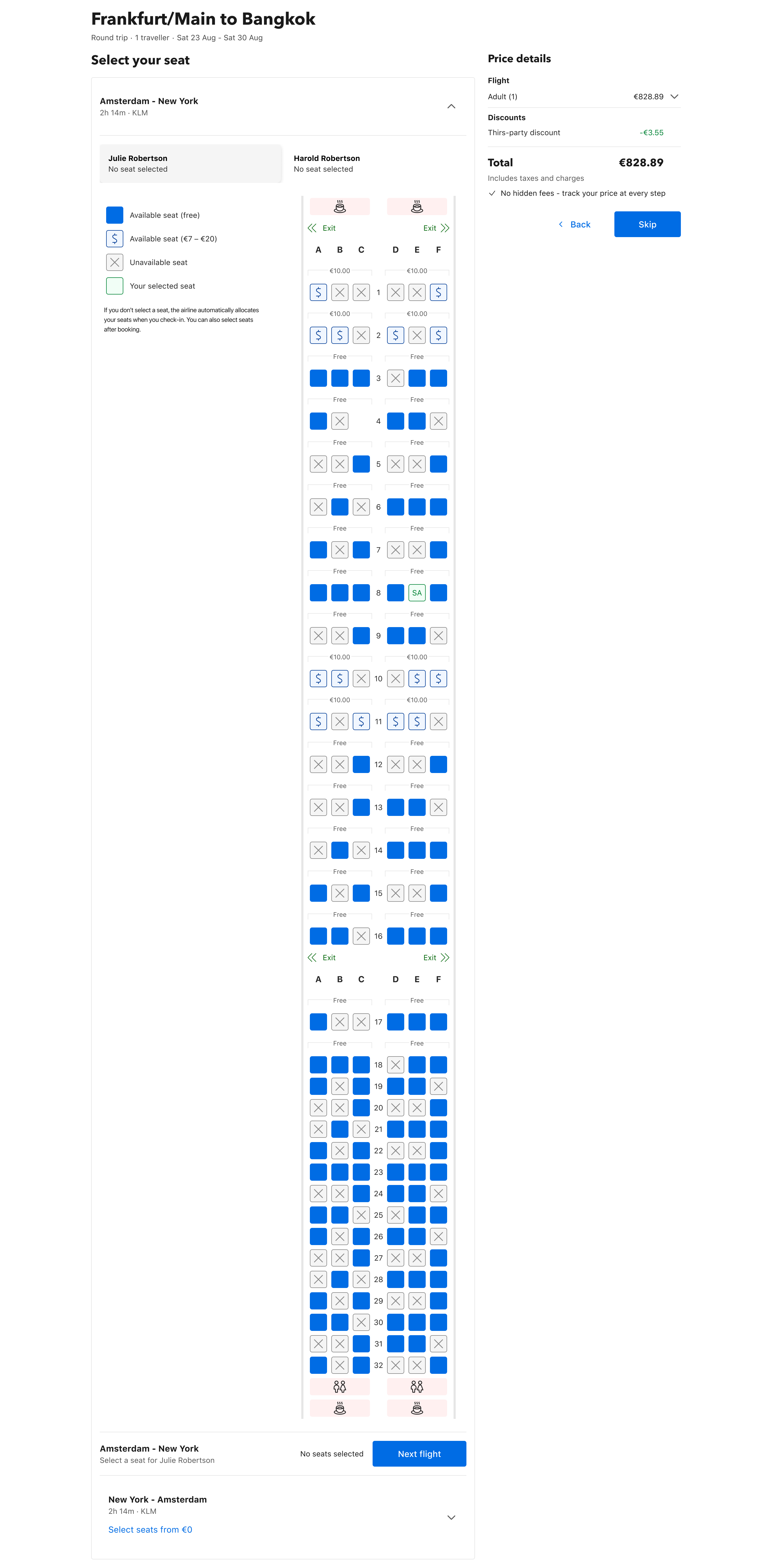
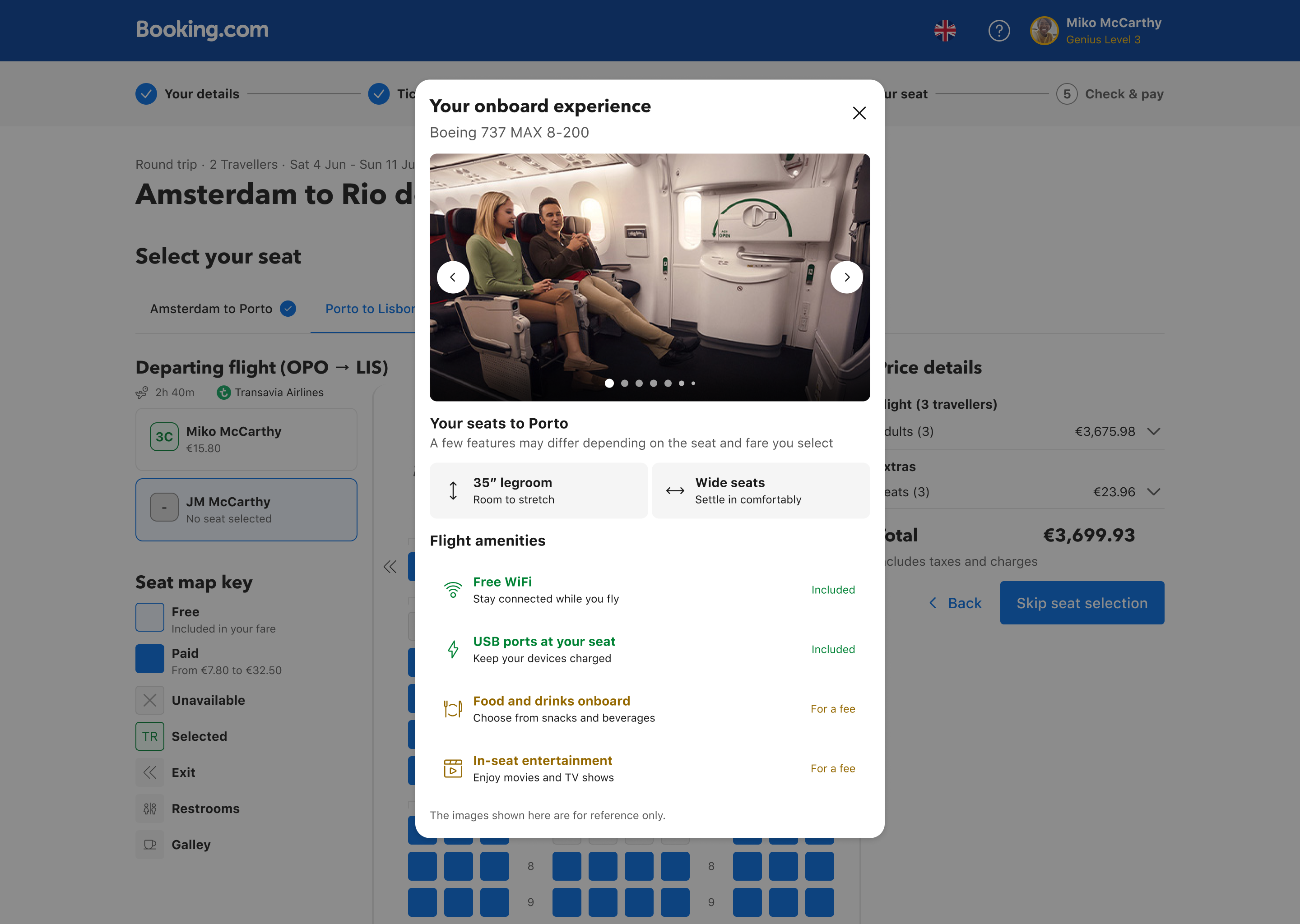
Current Booking.com seat selection: Amsterdam to New York, blue grid of identical seats with a small legend, no amenity context, traveller list on the left.

A price-tiered grid of identical squares.

Vision

Vision Booking.com seat selection: SFO to JFK, three-zone layout — Seat Filters and Legend on the left rail, central seat map with named travellers occupying their seats and exit-row markers, Price details on the right with continue CTA.

A value-led canvas with zones for context, control, and decision.

Drag the slider above to compare today's seat selection with the vision.

The 10-week vision sprint, in one flow

From a 78.3% no-selection signal to a leadership-approved 2026/27 direction. Diagnose → Research → Design → Land. Eight beats, four phases.

  1. M · 01 The signal Quest data: 78.3% no-selection. Hundreds of "buying blind", "no sense", "terribly aggravating".
  2. M · 02 The reframe Stop optimising click-counts. The category was wrong, not the conversion.
  3. M · 03 Tiers of Inspiration 26 brands, 3 tiers. Tesla, Ticketmaster, Trainline surfaced the breakthrough patterns.
  4. M · 04 Matrix of Chaos 13 paired audits across 4 platforms × 4 scenarios. Three uncovered cells, called by name.
  5. M · 05 Three pillars Architecture → Content → Personalisation, sequenced by dependency. The order is the argument.
  6. M · 06 Cohort flows Quick Start: Solo · Couple/Group · Family with kid. Same shell, three products.
  7. M · 07 Leadership review Approved by Flights leadership as the seat-selection direction for 2026/27.
  8. M · 08 Handed off 8 features shipped during the vision phase. Next 18 months executed by another designer.

01 / The thesis Booking.com sells seats price-led. The industry sells space value-led.

Most teams treat the seat selection problem as a conversion problem: better filters, clearer legend, sharper price tiers. It's not a conversion problem. It's a category-positioning problem. The 78.3% no-selection rate is the predictable result of asking customers to evaluate a row of identical squares against a price tier they don't understand.

The reframe runs through the entire case study. Every section underneath it (the two-methodology diagnosis, the three sequenced pillars, the cohort-targeted Quick Start flows, the dependency-honest roadmap) is proof of the same argument.

82% Offer rate
customers shown a seat map
22% Overall attach
free + paid combined
11% Paid attach
the gap that funds the work
78.3% No selection
leave their seat to chance

Quest user feedback through 2025-10 → 2026-02 sounded the same note across hundreds of comments: "complicated and opaque", "no sense", "very confusing", "buying blind", "terribly aggravating". Customers couldn't tell why one seat cost more than another. Couldn't find legroom info. Couldn't sit together. The category was wrong, not the conversion.

I paid a bunch of extra money, but can’t find out what seats have legroom.

Seats

It’s hard to tell the difference between premium seats

Auto Translated from ‘Japanese’ Show Original

Seats

Better filters & explanation of how/when to pick seats

Seats

We want to sit together. Cannot get any information about this.

Seats

The plane map was not clear and it was confusing to choose seats.

Seats

Explain what seats are the extra legroom seats

Seats

Booking seats is very complicated and opaque.

Seats

airplane layout All unformatted and difficult to read.

Seats

The seat selection process is confusing and terribly aggravating.

when we went to select our seats the layout of the plane made no sense. very confusing!

Seats

info on entertainment while on flight, the specific plane will offer different services, what are they? Do we bring our own head sets, etc. Also, when choosing seat— the window seats weren’t very clearly marked — i hope i chose correctly

Quest customer feedback, 2025-10 → 2026-02. Qualitative validation of the quantitative gap. Drag any sticky to rearrange.

02 / The diagnosis Two methodologies, run in parallel.

Most teams audit either externally (competitor scan) or internally (heuristic review). We ran both, structured, at the same time. The competitor study reframed what "good" looked like outside our bubble. The internal audit stress-tested where ours actually broke. Together they sized the gap.

Method 1 · Tiers of Inspiration

A three-tier competitive frame that forced us past direct competitors and into how other industries sell space. The tier-3 lookalikes (Tesla configurator, cinema seat pickers, Trainline coach selectors) are where the breakthrough patterns live.

Tier 1 · Core landscape

Direct competitors

9 brands surveyed

Baseline of our immediate market: OTAs and the LCCs who are masters of ancillary revenue.

Expedia Hopper Kayak Trips.com easyJet Jet2 Ryanair Spirit Wizz Air
What stood out

Ryanair · Role-based seating. Middle seat = "good value." Back seat = "safe with family." Personalised recommendations by traveller type.

Expedia · Contextual side panel. Seat selection opens in a drawer, keeping flight details visible. Context never lost.

Tier 2 · Aspirational standard

Premium airlines & data providers

9 brands surveyed

Best-in-class within travel: long-haul airlines and the data providers that feed them.

Air France-KLM British Airways Cathay Pacific Delta Emirates Singapore United Virgin Atlantic SeatGuru
What stood out

Singapore Airlines · 360° seat view. Immersive visualisation of seat location and surroundings. Replaces "buying blind" with visual proof.

United · Seat comparison tool. Side-by-side comparison of Main / Comfort / First with images and amenities. Real evaluation, not a price tier.

Delta & Spirit · Seat maps in search. View-only seat availability shown during flight search. Awareness before commitment.

Emirates · Clickable interactive legend. Click a legend entry, the seat map filters to only those seats. Legend becomes a control, not a key.

Tier 3 · Innovative edge

Out-of-industry breakthroughs

8 brands surveyed

How other industries solve the fundamental problem of selling configurable space. The breakthrough patterns came from here.

Odeon Cineworld Royal Caribbean Ticketmaster Hilton National Express Trainline LNER Tesla
Why this tier mattered

Tier 3 didn't surface a specific competitor pattern to copy. It surfaced a methodology: cohort-targeted recommendations (cinemas, Ticketmaster), 360° visualisation (Tesla configurator), persistent context (Trainline coach selector). The vision pillars are the synthesis.

The full Tiers of Inspiration board export. A wide grid of competitor seat-selection experiences across three tiers: Tier 1 (direct competitors like Expedia, Ryanair, Etihad, EasyJet, Jet2 with annotated fare panels, seat maps, and upsell flows); Tier 2 (adjacent industries with comparable booking flows); Tier 3 (out-of-industry lookalikes including Tesla, Ticketmaster, Trainline). Each row is annotated with pink callouts highlighting key value propositions, upsell tactics, and the 'wow factor' takeaway.
The full board. Tier 1 (direct competitors) through Tier 3 (out-of-industry lookalikes). The breakthrough patterns were in Tier 3.

Method 2 · The Matrix of Chaos

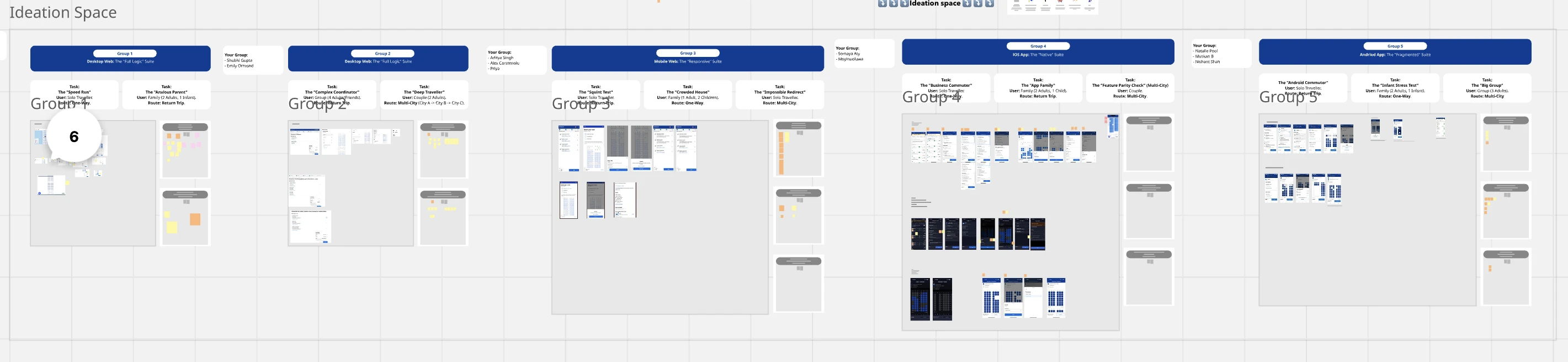
A scenario-based audit grid: 4 platforms × 4 scenario archetypes. Thirteen pairs of designers ran specific "missions" (booking with an infant on Android, multi-city on mobile web, group of four on desktop), capturing screenshots, friction logs, and opportunity stickies. The visible empty cells are honest: three scenarios we couldn't cover.

The Matrix of Chaos audit board. Five designer-pair groups (labeled Group 1 through Group 5) arranged horizontally, each assigned a platform — Desktop Web, iOS App, Android App — and running 2-3 booking missions: Speed Run, Anxious Parent, Complex Coordinator, Deep Traveller, Squint Test, Crowded House, Impossible Redirect, Business Commuter, App Family, Feature Parity Check, Android Commuter, Infant Stress Test, Big Group. Thirteen missions total. Each group cell shows the assigned task, user persona, route, and live screenshots captured during the audit.
The audit board. Thirteen missions assigned across five designer pairs — live screenshots and friction logs captured in the moment.

03 / The system Three pillars, in order. The order is the argument.

The vision is not a list of features. It's three pillars sequenced by dependency: you can't personalise a broken layout, you can't enrich content without a canvas, you can't recommend without a data foundation. Architecture first. Content second. Personalisation third.

Pillar What it does Horizon
P1 · Layout & Interaction Architecture Make the canvas legible. Zoned IA, detailed legend, granular filters, NLP smart search. H1 2026
P2 · Reinforce Value & Content Replace “buying blind” with proof. Hover summary, full-detail modal with 360°, video, cabin context. H1/H2 2026 · RouteHappy-gated
P3 · Personalisation & Cohort Selection Recommend, don’t just filter. Quick Start concierge with cohort-targeted flows. H2 2026

Pillar 1 · Layout & Interaction Architecture

Seat selection should be a value-driven experience that makes it easier to explore, compare, and select.

Zoned Architecture. Context, Control, Map, Decision. Four distinct functional zones so the user does one task at a time.

Three input modes layered on the same canvas: the Seat Legend highlights, the Seat Filters narrow, and NLP Search asks. Each fits a different user mode (scan-and-spot, methodical-shopper, just tell me what I want), and all three converge on the same map.

The Detailed Seat Legend card with five filter-clickable entries — Available (chair icon), Extra Legroom (yellow XL badge), Exit Row (green door icon), Occupied (grey X), Selected (filled chair) — floating in front of the Booking.com seat selection page. A Seat Details panel below explains the hover-for-quick-summary and click-for-full-spec affordances.
Detailed Legend. The legend becomes a clickable filter control, not a passive colour key.
Granular Filters panel: a left rail with five filter groups — Seat Position (Window, Middle, Aisle), Plane Section (Front, Middle, Back), Features (Extra Legroom, Emergency Exit), Seat Pricing (Free, Paid), and Display Options (Hide Occupied Seats, Show Seats Next to Each Other). Each entry is a checkbox toggle. The seat map sits to the right showing the live filtered result, with eight passenger initials placed across rows 9–11 in blue and rows 12 showing free seats in green.
Granular Filters. Window, legroom, exit row, free vs paid. Instant short-list, no hunting.
Smart Search. Plain-language queries. The conversational layer above the structured filter, not instead of it.

Pillar 2 · Reinforce Value & Content Enrichment

Seat selection should be enriched with the transparency and detail needed to justify the decision.

Two seat detail states side by side: a floating Seat 10C hover tooltip on the left (Aisle Seat, 31 inch pitch, 17 inch width, recline yes, Power, WiFi, Extra Space chips, with a 'View Full Details' CTA), and the expanded Seat 10C full-detail modal on the right (large product photo of three blue economy seats, Watch Video and 360° Tour links, Position / Seat Pitch / Recline / Price summary cards, Seat Specifications panel with Width, Pitch, Recline Angle, and collapsed Comfort & Convenience, Entertainment, and Location & Context sections, Cancel and Choose this seat CTAs).
Seat Detail on Hover. Pitch, width, recline, WiFi at the point of the cursor.

Pillar 3 · Personalisation & Cohort-Based Selection

The recommendation layer doesn't ask the same questions of every traveller. It uses the trip context the system already knows (passenger count, ages, route length) to change the question itself. The Quick Start concierge is the entry point. The cohort flows are what come next.

Quick Start at first paint. No more landing into a dense seat map cold. The next section walks through what each cohort sees after they tap "Help me."

04 / The proof Three cohorts, three flows, one pattern.

The Quick Start concierge isn't a single experience. It branches into three cohort-targeted flows, each with its own justifications, its own value framing, its own success metric. This is the difference between a personalisation slogan and a personalisation strategy.

01 · Solo

Intent-based selection

"How would you like to sit?" → Window · Aisle · Free · Exit. The recommendation justifies itself in the user's own language.

  • "Max legroom, fastest exit"
  • "Stretch out on long flights"
  • "Arrive feeling refreshed"
Solo cohort Quick Start: the Booking.com seat map on the left (with passenger MO already placed on the right side of row 12, surrounded by free green seats), and a docked Quick Start modal on the right titled 'We can help you find the perfect seat'. The intent question 'How would you like to sit?' is followed by five radio options — I want to work €15, Aisle seat €15, Free seat €0, Exit seat €15, and the currently selected 'I want to sleep' for €299 (Seat 12A) with two justification bullets: 'Extra space for the long flight' and 'Arrive feeling refreshed'. Preview link and Select seats CTA in the footer.
02 · Couple · Group

Keep everyone together

Cinema-style selection: pick once, the whole party moves. The fear of separation is the friction we remove.

  • "All close together"
  • "No one gets separated"
  • "Easy to coordinate during the flight"
Couple/Group cohort Quick Start: Booking.com seat map on the left showing six passengers already placed across rows 9–12 (MO, JA, SI, JO, TE, DA), and a docked Quick Start modal on the right titled 'We can find seats together for everyone to New York'. The intent question 'How would you like to sit?' is followed by three options — the selected 'Keep everyone together' (€2541, Seats 1A, 1B, 1C, 1D, 2A +4 more) with two justifications 'Sit next to your travel group' and 'Easy to coordinate during the flight'; 'Group by family' (€2391); and 'Best value' (€0). Preview link and Select seats CTA in the footer.
03 · Family with kid

Child-adjacent by default

Seating compliance baked into the recommendation. Parents never have to ask the system for permission to sit beside their kid.

  • "Seated together"
  • "Child seated beside an adult"
  • "Peace of mind for parents"
Family-with-kid cohort Quick Start: Booking.com seat map on the left with a centered 'Children must sit with an adult' info dialog ('Seat selection is required for 1 adult and all children under 12.' with a Select seats CTA), and a docked Quick Start modal on the right titled 'We can help you find the perfect seats'. The intent question 'How would you like to sit?' shows five options — the selected 'Window seat' (€30 total, Seats 13A, 13B) with two justifications 'Window seat for the little one' and 'Family sits in the same row'; Aisle seat (€30); Free seat (€0); Exit seat (€30); and Extra legroom (€598). Preview link and Select seats CTA in the footer.

05 / The frame What ships, what waits, what's stopped.

A vision deck that hides its dependencies is a wishlist. The roadmap below sequences by what gates what. The three callouts beside it (Friction Reduction stopped, MDOT deferred to 2027++, three uncovered Matrix cells) are the strategic calls that made leadership trust the rest.

  1. Q1 · Foundation
    Architecture & Layout Changes

    Unblocks all of Q2.

  2. Q2 · Build on it
    Detailed Seat Legend · Seat Filters · Seat Details on Hover

    Gated by: Architecture. Each is renderable once the IA is settled.

  3. Q3 · External gate
    ★ RouteHappy Integration

    Hard external dependency. Without RH, Personalisation is empty containers.

  4. Q3 · Personalisation
    Seats Personalisation & contextual communication

    Gated by: Architecture + RouteHappy.

  5. Q4 · Cohort
    Cohort-based Seat Selection · Assisted Selection & suggestion

    Cohort gated by Personalisation. Assisted Selection gated by Detailed Legend + Seat Filters.

  6. 2027++ · Future
    Seat Upsell nudges · Seat availability comm · Cabin-class upgrade

    All build on the cohort/personalisation infrastructure landing in H2.

The dependency-honest roadmap. P1 architecture in H1, P2 content gated on RouteHappy in H1/H2, P3 personalisation in H2, mobile and cabin-class moves in 2027++.

Tradeoffs called by name

Stopped

Friction Reduction track

We tested click-minimisation and the Expedia-style contextual side-panel approach. Side-panel framing fragmented the IA work in Pillar 1, and click-counting optimised the wrong thing. Friction wasn't the bottleneck, value clarity was. Killing it freed engineering capacity for the architectural work.

Deferred · 2027++

MDOT (mobile web)

Mobile-first instinct said start there. The audit said otherwise: the IA is broken on desktop too, and fixing it on mobile first would have meant throwaway code. 2027++, after H1 desktop architecture and H2 personalisation land. An explicit choice, not an oversight.

Gap

Three uncovered Matrix cells

Mobile-Web Group, iOS Group, Android Multi-City. Three scenario × platform combinations the audit didn't cover. Flagged in the H1 plan as known coverage gaps so the execution team can decide whether to fill them or accept the risk.

Success metrics

Frame Metric What it means
North Star Paid Seat Attach Rate Increase paid attach & incremental ancillary revenue. The opportunity that funds the work.
Guardrail Flights Bookings Seat optimisation must not reduce upstream flight conversion. Watch ratio, not absolutes.
Strategic frame CLTV & partner value Long-term: customer lifetime value & airline-partner confidence in our seat experience.

The outcome

Vision presented to the Flights leadership team (Product Director, GPMs, and track leads). Approved as the seat-selection direction for 2026/27. The next 18 months of seat work is being executed by another designer against the system I sequenced. Eight features from the matrix sheet have already shipped during the vision phase: Smart Group Logic, Contextual Consistency, Passenger Identity Mapping, Seats Section/Role Labeling, Orientation & Location Context, Visual Scale & Differentiation, Enhanced Filtering, Granular Seat Attributes.

The work is the architecture. The screens are downstream of it.